Showing posts with label Advanced Excel Corporate Trainer. Show all posts

Monday, November 25, 2024

The Best Advanced Excel Corporate Trainers in Delhi: What to Expect


When it comes to mastering Advanced Excel and VBA Macros, Advanced Excel Institute, stands out as a leader in corporate training. Led by Pankaj Kumar Gupta, a Microsoft Certified Trainer with over a decade of experience, the institute has built a reputation for delivering impactful training that equips employees with practical, high-level Excel skills. Here’s what to expect from training sessions with Pankaj Sir, Advanced Excel Corporate Trainer.

1. Expert Trainer with a Proven Track Record

He has conducted over 500 corporate training sessions, training more than 10,000 professionals across various industries. His extensive experience and Microsoft certification make him one of the most trusted Advanced Excel and VBA Macros trainers in Delhi. Known for his practical teaching style, focuses on real-world applications, ensuring that employees can immediately apply what they learn.

2. Customized Training Approach

They understands that each organization has unique needs. The training sessions are design in tailored to the specific requirements of each company, whether it's for data analysis, reporting, automation, or financial modeling. This tailored approach ensures that the training content matches the company's objectives and supports the employees' daily responsibilities.

3. Hands-On, Practical Learning

Further, his sessions are highly interactive and focus on practical learning. Rather than just theory, his training includes real-time database examples and hands-on exercises. Employees learn to work with advanced functions like VLOOKUP, HLOOKUP, INDEX/MATCH, and SUMIFS. They also explore Pivot Tables, data visualization, and chart creation to handle complex data sets effectively.

4. Advanced Excel and VBA Macros Expertise

As an expert in both Advanced Excel and VBA Macros, He covers a wide range of topics that boost efficiency and accuracy in data management. His VBA Macros training is particularly valuable for automating repetitive tasks, saving time, and minimizing errors. This enables employees to increase productivity significantly, making them more valuable assets to the organization.

5. Comprehensive Curriculum

Training sessions at Advanced Excel Institute are structured to cover essential and advanced topics, including:

  • Formulas and Functions: Covering basic to advanced functions like IF, SUMPRODUCT, CONCATENATE, and logical functions.
  • Data Management: Techniques for managing data across multiple sheets, using features like Advanced Filter, Data Validation, and Text to Columns.
  • Data Analysis and Visualization: Creating Pivot Tables, Pivot Charts, and various types of charts (e.g., Gantt charts, Bubble charts) to make data analysis easier and more insightful.
  • VBA Macros: Automating workflows, writing simple to complex Macros, and using VBA to streamline daily tasks.

6. Focus on Productivity and Efficiency

One of the main goals of the training is to help employees work faster and smarter. He teaches productivity-boosting techniques, including Excel shortcuts, effective use of the Name Manager, and advanced filtering options. These tools and tricks enable employees to complete their tasks in less time with higher accuracy.

7. Post-Training Support and Resources

After the training, Pankaj and Advanced Excel Institute provide post-training support to help employees resolve any doubts and reinforce what they’ve learned. This ongoing support ensures that employees are confident and fully equipped to apply their skills in real-world scenarios.

8. Strong Industry Reputation

With experience conducting training in major Indian cities like Delhi, Gurgaon, Mumbai, Bangalore, and Hyderabad, Advanced Excel Institute has built a strong reputation nationwide. Numerous companies trust them to deliver effective training that enhances employees’ skills in Advanced Excel and VBA Macros.

Choosing Pankaj Kumar Gupta as an Excel Corporate Trainer in Delhi for corporate training ensures that your team will receive practical, high-quality instruction that directly impacts productivity and accuracy in data management. With a focus on hands-on learning, real-world applications, and post-training support, Advanced Excel Institute stands out as one of the best training providers in Delhi for Advanced Excel and VBA Macros.

 For more information, contact us at:

Call: 8750676576, 871076576

Email:advancedexcel07@gmail.com

Website:www.advancedexcel.net


Tuesday, February 27, 2024

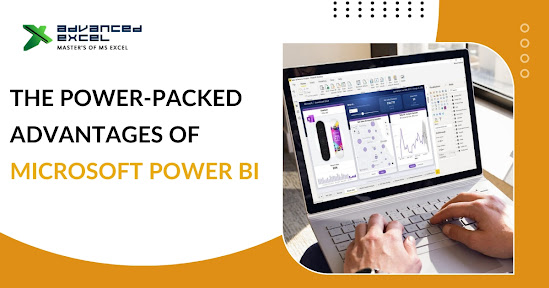
The Power-Packed Advantages of Microsoft Power BI


Organizations are constantly on the lookout for tools and solutions to effectively manage the massive volumes of data they generate daily. In this context, Power BI coaching in Delhi emerges as a valuable resource for businesses seeking to harness the power of data analytics.

At its core, it is a cloud-based business intelligence tool that enables organizations to analyze, visualize, and share insights from their data. What sets it apart is its ease of use, flexibility, and scalability, making it suitable for organizations of all sizes and industries.

Key Features and Benefits

  1. Minimal Upfront Costs: One of the most significant advantages of this feature is its subscription-based model, which eliminates the need for hefty upfront investments in licences and infrastructure. The desktop version is freely available to all users, while additional subscription tiers offer advanced features at affordable prices.
  2. Cross-Platform Compatibility: Offers a suite of mobile apps for iOS, Android, and Windows 10 devices, allowing users to access and interact with their data on the go. Whether you're in the office or on the move, it ensures that you have access to critical insights whenever you need them.
  3. Seamless Data Integration: It simplifies the process of consolidating data from multiple sources by providing a user-friendly interface for connecting to various data sources, including Excel, SQL Server, and cloud-based services like Azure. With just a few clicks, users can import data and begin analyzing it to uncover valuable insights.
  4. Real-Time Collaboration: Sharing insights with colleagues and stakeholders becomes seamless with Power BI's robust sharing capabilities, which are an integral part of the power bi course in Delhi. Users can securely share reports and dashboards with individuals both within and outside their organization. This ensures that everyone, regardless of their location, has access to the same information, fostering effective collaboration and decision-making processes.
  5. Drag-and-Drop Functionality: A further intuitive drag-and-drop interface makes it easy for users to create interactive reports and dashboards without the need for extensive technical expertise. With a wide range of visualizations and customization options available, users can tailor their reports to suit their specific needs and preferences.
  6. Advanced Analytics: It goes beyond basic reporting and visualization capabilities to offer advanced analytics features such as predictive analytics and machine learning. These capabilities empower organizations to uncover hidden patterns and trends in their data, enabling them to make more informed decisions and drive business growth.
  7. Scheduled Data Refresh: Keeping reports and dashboards up-to-date with the latest data is essential for making informed decisions. Offers automated data refresh options, allowing users to schedule regular updates to ensure that their insights are always based on the most current information available.
  8. Growing Community Support: With a thriving online community of users and experts, it offers a wealth of resources and support for users at all levels. From troubleshooting tips to best practices and product feedback, the Power BI community provides valuable insights and assistance to help users make the most of the platform.

Shaping the Future

In conclusion, the power bi training institute in Delhi  offers a comprehensive suite of features and benefits that empower organizations to unlock the full potential of their data. From seamless data integration to advanced analytics and real-time collaboration, Power BI provides the tools and capabilities needed to drive business success in today's data-driven world.


For more information, contact us at:

Call: 8750676576, 871076576

Email:advancedexcel07@gmail.com

Website:www.advancedexcel.net


Monday, February 12, 2024

10 Common Microsoft Excel Mistakes That Can Mess Up Your Data


Microsoft Excel possesses formidable capabilities for arranging, scrutinizing, and displaying data. However, even experienced users can fall into common traps that can lead to errors and inaccuracies in their spreadsheets. In this article, we'll explore 10 of the most common Excel mistakes and how to avoid them to ensure your data stays accurate and reliable.

1. Not Using Headers

Using headers is crucial for organizing your data effectively. Without clear headers, it can be challenging to understand what each column represents, leading to confusion and potential errors in your analysis. Always ensure that your spreadsheet includes descriptive headers for each column.

2. Mixing Data Types in a Single Column

Mixing data types in a single column is a recipe for disaster. For example, if you have a column that contains both text and numbers, Excel may not be able to perform calculations accurately. Make sure each column contains only one type of data to avoid issues with calculations and sorting.

3. Using Incorrect Formulas

Using incorrect formulas can lead to serious errors in your analysis. Always double-check your formulas to ensure they are calculating the correct values. Additionally, be wary of copying and pasting formulas without adjusting cell references, as this can lead to inaccuracies. Advanced Excel training in Delhi can provide you with the skills to navigate Excel confidently and avoid such pitfalls.

4. Not Protecting Important Formulas

Not protecting important formulas can result in accidental changes that alter your data. To prevent this, consider locking cells containing critical formulas to prevent them from being edited accidentally. You can do this by using Excel's cell protection feature.

5. Ignoring Error Messages

Ignoring error messages in Excel is a common mistake that can lead to overlooking critical issues in your data. Instead of dismissing error messages, take the time to investigate and address them promptly. Excel provides helpful error messages that can guide you towards resolving issues effectively.

6. Overusing Merge and Center

Overusing the Merge and Center feature can cause problems when sorting and filtering data. While it may seem convenient for formatting purposes, it can lead to complications when manipulating your data. Instead, consider using other formatting options, such as cell alignment, to achieve the desired appearance without sacrificing functionality.

7. Not Using Absolute References

Not using absolute references in your formulas can lead to errors when copying and pasting them to different cells. Absolute references ensure that a formula always refers to a specific cell, regardless of where it is copied. Use dollar signs ($) to designate absolute references in your formulas.

8. Relying Too Much on Manual Entry

Relying too much on manual entry increases the risk of typographical errors and inconsistencies in your data. Whenever possible, use Excel's built-in features, such as formulas and data validation, to automate data entry and reduce the likelihood of errors.

9. Using Too Many Worksheets

Using too many worksheets in a single workbook can make it challenging to navigate and manage your data effectively. Instead of cramming everything into one workbook, consider splitting your data into separate workbooks based on categories or themes to keep things organized and manageable.

10. Not Backing Up Your Data Regularly

Not backing up your data regularly is a critical mistake that can result in irreversible loss if your spreadsheet becomes corrupted or accidentally deleted. Make it a habit to back up your Excel files regularly, especially if you are undergoing Excel Training in Delhi, to ensure you always have a recent copy available in case of emergencies.

In conclusion, avoiding these common Microsoft Excel mistakes can help you maintain the accuracy and integrity of your data. By using clear headers, adhering to consistent data types, double-checking formulas, and implementing best practices for data management, you can minimize errors and ensure that your Excel spreadsheets remain reliable tools for analysis and decision-making. Remember, prevention is always better than correction when it comes to Excel errors.

For more information, contact us at:

Call: 8750676576, 871076576

Email:advancedexcel07@gmail.com

Website:www.advancedexcel.net


Tuesday, December 19, 2023

How Advanced Excel Skills Supercharge Your Business


In today’s fast-paced business landscape, advanced Excel skills, especially Excel training in Gurgaon, have emerged as an indispensable asset for driving efficiency, making informed decisions, and propelling growth. With its multifaceted functionalities, Excel serves as more than just a spreadsheet tool—it’s a powerhouse for businesses across industries, enabling data analysis, visualization, forecasting, and reporting. Excel training in Gurgaon particularly equips professionals with the expertise to leverage these powerful functionalities for enhanced productivity and strategic decision-making.

The Impact of Advanced Excel Skills

Enhancing your team’s proficiency in Excel can revolutionize your business operations. Advanced formulas and functions within Excel empower users to manipulate and analyze vast datasets swiftly. By mastering tools like VLOOKUP, PivotTables, and macros, businesses can streamline complex processes, save time, and extract meaningful insights from their data.

Streamlining Operations

One of the primary advantages of advanced Excel skills, including Advanced Excel Classes in Gurgaon, lies in streamlining operational processes. By utilizing Excel’s functionalities for automating tasks and creating customized workflows, businesses can optimize their operations, minimize errors, and accelerate productivity. For instance, setting up automated reports using Excel not only saves time but also ensures accuracy in data presentation. Advanced Excel Classes in Gurgaon specifically equip professionals with the expertise to harness these functionalities, enabling them to streamline operations effectively and enhance overall business efficiency.

Data Analysis and Visualization

Excel’s prowess in data analysis and visualization is unparalleled. With features like conditional formatting, charts, and graphical tools, businesses can transform raw data into comprehensive visual representations, facilitating better comprehension and decision-making. This ability to present data visually is crucial in communicating complex information across teams and stakeholders.

Forecasting and Planning

Advanced Excel skills enable businesses to perform robust forecasting and planning. Through scenario analysis and statistical functions, organizations can model various business scenarios, forecast outcomes, and make informed strategic decisions. This capability to predict future trends assists in mitigating risks and capitalizing on opportunities.

Reporting and Insights

Excel serves as a cornerstone for reporting and deriving insights. By leveraging its features for data consolidation, filtering, and summary tools, businesses can generate comprehensive reports that distill critical information. These reports are invaluable for management, aiding in informed decision-making and tracking key performance indicators.

Conclusion

In essence, advanced Excel skills, particularly through Advanced Excel training in Gurgaon, transcend the realm of mere spreadsheet proficiency. They form a catalyst for efficiency, innovation, and strategic growth within organizations. By investing in honing these skills through targeted Advanced Excel training in Gurgaon, businesses can unlock the full potential of their data. This empowerment enables them to navigate the complexities of today’s dynamic market landscape with confidence and agility, staying ahead in a competitive environment.


For more information, contact us at:

Call: 8750676576, 871076576

Email:advancedexcel07@gmail.com

Website:www.advancedexcel.net


Tuesday, October 31, 2023

The Top 5 Advanced Excel Skills That Every Corporate Employee Should Know


Being able to set up data validation rules ensures data integrity and accuracy. It allows you to define specific criteria for data entry, restrict input to certain values, create drop-down lists, and prevent errors. Additionally, understanding how to protect worksheets, workbooks, and cells with passwords or permissions helps safeguard sensitive information. Conditional formatting enables you to highlight cells based on specific conditions or rules. It helps in visually identifying trends, variances, outliers, or data patterns. Utilising conditional formatting effectively improves data analysis and presentation, making it easier to interpret and draw insights. Excel offers a variety of advanced chart types and customization options. If you're looking for Advanced excel training in Delhi that covers charting techniques, Power Pivot, and other data analysis skills, there are various training providers and institutes that offer such courses Power Pivots are powerful add-ins in Excel that enable data integration, transformation, and modelling. They allow you to import data from multiple sources, clean and shape it, create relationships between tables, and build advanced data models. These tools are particularly useful for handling large datasets and performing complex data analysis tasks.


 Essential Skills for Corporate Success 
Here are the top five advanced Excel skills that every corporate employee should know:

  1. Advanced Formulas and Functions: Excel offers a wide range of formulas and functions that can significantly enhance data analysis and manipulation. Some advanced formulas and functions include VLOOKUP, INDEX-MATCH, SUMIFS/COUNTIFS, IFERROR, CONCATENATE, TEXT functions, and array formulas. Understanding and utilising these functions can help automate calculations, perform complex data analysis, and streamline workflows.
  2. PivotTables and Pivot Charts: PivotTables are powerful tools for summarising and analysing large datasets. They allow you to quickly organise and summarise data, create custom reports, perform calculations, and visualise trends. Knowledge of pivot tables and pivot charts helps corporate employees gain valuable insights from data and present it effectively.
  3. Data Analysis and Visualisation: Excel provides various tools and techniques for data analysis and visualisation. Skills like sorting, filtering, conditional formatting, data validation, and creating dynamic charts can help employees analyse data effectively and present it in a visually appealing manner. Advanced features such as sparklines, slicers, and data bars can enhance data visualisation capabilities.
  4. Macros and VBA (Visual Basic for Applications): Macros and VBA allow users to automate repetitive tasks, create custom functions, and build interactive user interfaces in Excel. Knowledge of macros and VBA enables employees to streamline workflows, increase efficiency, and create customised solutions. They can automate tasks like data entry, report generation, and data manipulation.
  5. Data Import and External Connections: Excel offers functionality to import data from external sources such as databases, websites, and text files. Understanding how to establish connections, import data, refresh data, and transform it for analysis is crucial. Skills like using Power Query (to get and transform data) and connecting to external data sources empower employees to work with diverse datasets efficiently.


 Elevate Your Skills and Excel in the Business World

  • Data analysis and visualisation go hand in hand with advanced Excel skills. Techniques such as sorting, filtering, conditional formatting, and data validation provide a solid foundation for effective data analysis. Furthermore, understanding how to create dynamic charts, utilise sparklines, and implement data bars enhances data visualisation capabilities, making it easier to identify trends, patterns, and outliers.
  • For automation and efficiency, employees should delve into the world of macros and VBA (Visual Basic for Applications). Macros allow for the recording and execution of repetitive tasks, saving valuable time and reducing errors. With VBA, professionals can take automation to the next level by creating custom functions, building interactive user interfaces, and integrating Excel with other applications, increasing productivity and streamlining workflows.
  • The ability to import and connect to external data sources is also a valuable skill in the corporate world. Excel offers functionalities like Power Query (Get and Transform Data) that enable professionals to import and transform data from various sources seamlessly. This skill is particularly useful when dealing with large datasets or when working with data from external databases, websites, or text files. Excel mastery also encompasses collaboration and data sharing.
  • Understanding features like shared workbooks, tracking changes, comments, and data merging allows for effective teamwork and version control. These skills promote seamless collaboration, ensure data accuracy, and facilitate smooth workflows within corporate environments. By pursuing Excel mastery for corporate excellence, professionals can elevate their skills and stand out in the business world.
  • Acquiring Advanced Excel Corporate training skills empowers employees to streamline processes, make data-driven decisions, and effectively communicate insights. With the ability to leverage advanced formulas and functions, work with pivot tables and pivot charts, perform data analysis and visualisation, automate tasks with macros and VBA, handle data import and external connections, and collaborate effectively, professionals can maximise their productivity, contribute to organisational success, and excel in their corporate endeavours. 

What Excel skills are employers looking for?

  • Financial Modelling: For roles that involve financial analysis, employers often seek candidates who can create financial models, perform sensitivity analysis, and build scenario-based projections using Excel. Proficiency in functions like NPV (Net Present Value), IRR (Internal Rate of Return), and financial functions is highly desirable.
  • Data Cleansing and Data Transformation: Employers look for candidates who can clean and transform data using tools like Power Query (Get and Transform Data). This skill ensures data accuracy and prepares datasets for analysis.
  • Collaboration and Data Sharing: Proficiency in collaboration features like shared workbooks, tracking changes, comments, and merging data from multiple users is valuable. These skills promote effective teamwork and version control.
  • Problem-Solving and Analytical Thinking: Beyond specific Excel functionalities, employers value candidates who can apply analytical thinking and problem-solving skills to analyse complex data, identify patterns, and draw meaningful insights.
  • Continuous Learning and Adaptability: Employers appreciate candidates who demonstrate a willingness to learn and adapt to new Excel features and updates. Being proactive in staying updated with Excel advancements showcases an ongoing commitment to excel in the role.


Mastering these advanced Excel skills

Having Advanced Excel Corporate Trainer is crucial for corporate employees in today's data-driven business environment. The ability to utilise advanced formulas and functions, work with PivotTables and Pivot Charts, perform data analysis and visualisation, automate tasks with macros and VBA, handle data import and external connections, implement data validation and protection, apply conditional formatting, leverage advanced charting techniques, conduct what-if analysis, and utilise Power Query and Power Pivot provides a competitive edge and enhances productivity. By acquiring and honing these skills, corporate employees can effectively manage and analyse data, make informed decisions, streamline processes, and communicate insights with clarity. Mastering advanced Excel skills is a valuable asset that equips employees with the tools they need to excel in their roles and contribute to the success of their organisations.


For more information, contact us at:

Call: 8750676576, 871076576

Email: advancedexcel07@gmail.com

Website: www.advancedexcel.net


Friday, May 26, 2023

Why MIS Training is Essential for Career Growth in Today’s Digital World


As technology continues to advance, the field of Management Information Systems (MIS) has become increasingly important. MIS professionals play a critical role in helping organizations manage their information through technology, making informed decisions and staying ahead of the competition. With the demand for skilled MIS professionals on the rise, pursuing training has become essential for those looking to advance their careers in this field, including those seeking MIS Training in Gurgaon. In this article, we'll explore the reasons why MIS training is so important for career growth and the benefits it can provide for professionals seeking to succeed in this dynamic and rapidly evolving field.

What is Management Information Systems?

Management Information Systems (MIS) is a field that deals with the management of information through technology. It involves the use of computer systems and software to collect, store, analyze, and report data in a way that enables organizations to make informed decisions. MIS professionals work with various stakeholders within an organization to ensure that information is used effectively to achieve organizational goals.

Importance in Today's Digital World

In today's digital world, information is a critical resource that can provide organizations with a competitive advantage. MIS enables organizations to collect and analyze data from various sources and use it to make informed decisions. It helps organizations to streamline their operations, reduce costs, and improve customer satisfaction. MIS also helps organizations to identify trends and patterns in data, which can be used to predict future outcomes and make strategic decisions.

Career Opportunities

The demand for MIS professionals is increasing rapidly, and job opportunities in this field are plentiful. MIS professionals can work in various industries, including healthcare, finance, retail, and manufacturing. Some common job titles in this field include MIS analyst, database administrator, business analyst, and project manager.

The Need for MIS Training

To be successful in the field of MIS, professionals need to have a solid understanding of the technology and business concepts that underpin this field. Pursuing MIS training, including Advanced Excel Classes in Gurgaon, provides professionals with the knowledge and skills they need to be successful in this field. Further it provides professionals with the knowledge and skills they need to be successful in this field. It helps them to stay up-to-date with the latest technologies and best practices, which is essential in today's rapidly changing digital landscape.

Benefits of Pursuing

- Develop Technical Skills

These programs provide professionals with the technical skills they need to work effectively in this field. These programs cover topics such as database management, programming, data analytics, and information security.

- Enhance Business Knowledge

MIS professionals need to have a strong understanding of business concepts to be effective in their roles. MIS programs provide professionals with a broad understanding of business concepts such as accounting, finance, and marketing, which is essential for making informed decisions.

- Improve Decision-Making Skills

MIS training programs help professionals to develop critical thinking and problem-solving skills, which are essential for making informed decisions. These programs provide professionals with the tools and techniques they need to analyze data and make strategic decisions.

- Better Career Opportunities

It help professionals to develop the skills they need to be successful in this field, which can lead to better career opportunities. Professionals who have completed this training programs are in high demand and can expect to earn competitive salaries.

Types of Training Programs

There are various types of programs available, including certificate programs, associate degree programs, and bachelor's degree programs. Certificate programs are typically short-term programs that focus on specific areas of MIS, such as database management or information security. Associate degree programs provide a broader understanding of MIS concepts and prepare students for entry-level positions in this field. Bachelor's degree programs provide a comprehensive understanding of MIS and prepare students for advanced roles in this field.

Choosing the Right MIS Training Program

When choosing an MIS program, it is important to consider factors such as the program's reputation, the quality of the faculty, and the program's curriculum. It is also important to consider the program's format, as some programs are offered online, while others are offered on-campus. Prospective students should also consider the cost of the program and the availability of financial aid. Additionally, for those looking for advanced excel training in Gurgaon, it is important to research MIS programs in the area and inquire about their course offerings related to excel training. With the increasing demand for MIS professionals who are proficient in advanced excel, choosing a program that offers such training can greatly enhance one's career prospects.

A Smart Move for Career Advancement

MIS is a critical field that helps organizations leverage technology to manage their information and make informed decisions. The demand for MIS professionals is increasing rapidly, and MIS training is essential for career growth in today's digital world. Pursuing training provides professionals with the knowledge and skills they need to be successful in this field, including technical skills, business knowledge, critical thinking skills, and problem-solving skills. There are various types of training programs available, and prospective students should choose a program that meets their needs and career goals.

For more information, contact us at:

Call: 8750676576, 871076576

Email:advancedexcel07@gmail.com

Website:www.advancedexcel.net